

Block attributes
Paragraph alignment
Paragraph alignment is defined as the align attribute for paragraphs.
.Examples of possible paragraph alignments
[align=left]
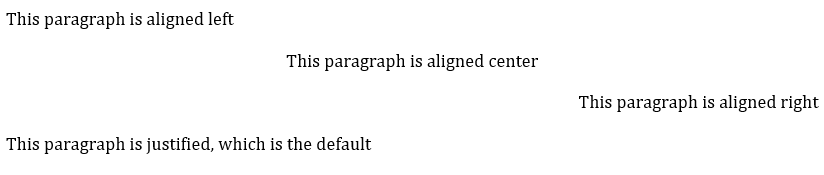
This paragraph is aligned left
[align=center]
This paragraph is aligned center
[align=right]
This paragraph is aligned right
[align=justified]
This paragraph is justified, which is the default
renders:
If the paragraph contains line breaks, and the default alignment in the stylesheet is justified (as is often the case in Word output), it is necessary to specify [align=left] to make the paragraph look as normally expected.
.Example of a paragraph containing line breaks that needs to be left-aligned
[align=left]
Vache Equipment +
Fictitious +
World +
mailto:gehf@vacheequipment.fic[]
renders:

Custom CSS class
A block can be given one or more custom CSS classes through the class attribute metanorma-standoc ≥ v3.4.7. The class is passed through to the class attribute of the corresponding HTML element, so that CSS or JavaScript can target specific blocks (for example, to make a particular table sortable).
[class="sortable"]
|===
| Name | Value
| a | 1
| b | 2
|===
The custom class is additive: it is appended to the block's built-in HTML class rather than replacing it. For example, a figure with [class="sortable"] renders as <figure class="figure sortable">, and a table as <table class="MsoISOTable sortable">. Provide multiple classes as a space-separated list, for example [class="sortable fixed"].
The class attribute is honoured for the following blocks: paragraphs, source code, figures, examples, quotes, ordered and unordered lists, notes, admonitions, pseudocode, and tables. For blocks that take a positional style (such as source code, examples, and admonitions), give class as a named attribute alongside it, for example [source,ruby,class="special"] or [NOTE,class="special"].
The custom class is emitted to HTML output only. Word output does not carry it, because Word CSS is too inflexible to honour it reliably.